Temporary Flight Restrictions (TFRs) Now Displayed on FlightAware Maps
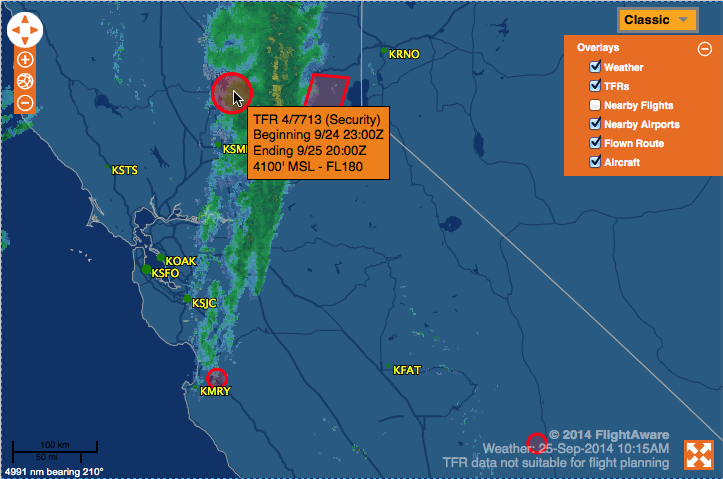
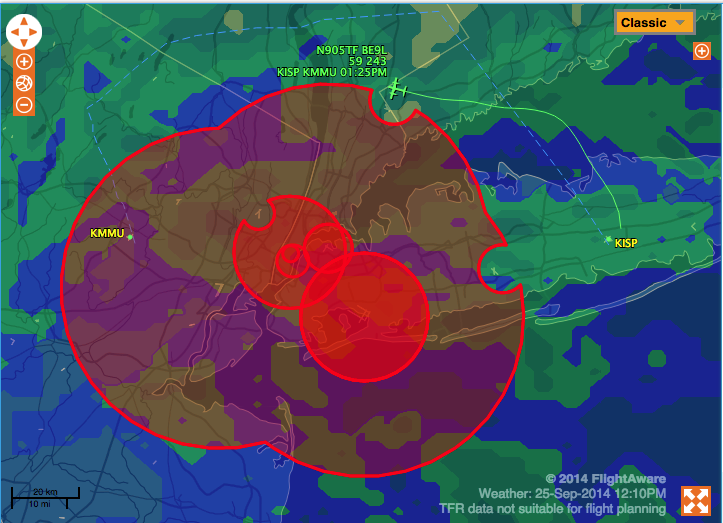
All FlightAware users can now view United States Temporary Flight Restrictions (TFRs) on FlightAware maps! Simply enable the TFR layer by clicking the "+" in the upper right corner of any map, then check the "TFR" layer. Current and future published TFRs will then be drawn on US maps as red polygons.
Hover over a TFR for the description, or click on it to be redirected to the FAA web site with full details on the flight restriction.
If you haven't heard about our major upgrades last month, please check out that announcement: Map Improvements - View All Planes, Nearby Airports, Premium Map Layers.
Thanks for using FlightAware! We look forward to improving the experience for you.
About FlightAware
FlightAware, a part of Collins Aerospace, is a leading provider of real-time and historical flight information and insights to the global aviation community. FlightAware serves all segments of the aviation marketplace through best-in-class applications and data services that provide comprehensive information about the current and predicted movement of aircraft. Through the collection, interpretation, and enrichment of hundreds of sources of data, including data from FlightAware's own proprietary terrestrial ADS-B network with tens of thousands of receivers spanning seven continents in 200 countries and territories, FlightAware transforms millions of raw flight data elements and delivers them as coherent, easy-to-consume flight stories. As a single source of accurate and actionable data for aviation players large and small, FlightAware is Central to Aviation®.


